
Product Catalog






























Showing all 6 results
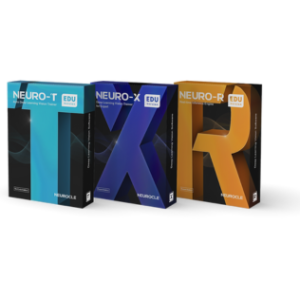
Students can experience the entire process of data input, labeling, model training and reporting. By practicing the entire process of deep learning model training, students can quickly grasp the concepts of deep learning.

Through fast model training, you can check the model training results within a regular class period.

Bring your ideas to life by running your models on a Jetson or a PC. Encourage students by displaying their work in action.

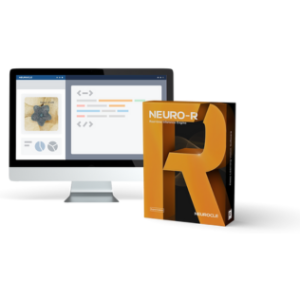
From low-spec embedded boards to CPUs and GPUs , you can apply and utilize the model on any device. Integrate your model to the desired system using the programming language of your choice.

During equipment setup, calculation methods are optimized to fit each equipment. Apply this technology to major manufacturing fields where tack time is crucial.

Accomplish more than just a simple delivery of model inference results—utilize various APIs to generate results from multiple models in creative ways.

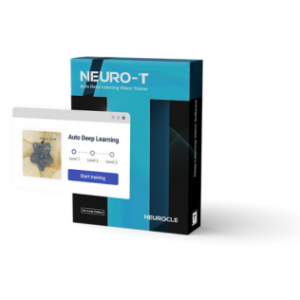
Since Neuro-T can create a model with the best performance through automatic optimization of deep learning model structure and training parameters, project managers can leave the difficult work to Neuro-T and focus on what they do best.

If models require retraining due to addition or changes in training data, our Fast Retraining function can reduce the training time without compromising the performance of the existing model, enabling quick and easy maintenance.

The intuitive UX/UI makes it easy for anyone to use our software. The operator can quickly learn how to use the software to apply deep learning to their project, and the manager can easily manage the project.
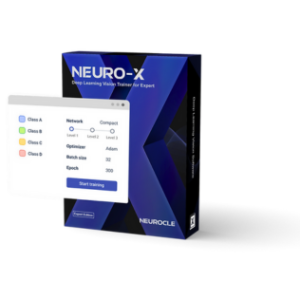
You can freely optimize models however you want by adjusting various parameters regarding the data and the overall model. Through easy GUI-based parameter searching, apply deep learning to any field of research.

Hardware/software configuration and coding skills are no longer necessary for deep learning. Align your team to the highest skill level with the intuitive GUI that allows researchers to focus on model training.

It usually takes a team of three: a data manager, a labeler, and a model engineer. Minimize your team by managing all your tasks. One operator can fulfill the role of a three person team with Neuro-X.


Matrox Design Assistant® X1 is an integrated development environment (IDE) for Microsoft® Windows® where vision applications are created by constructing an intuitive flowchart instead of writing traditional program code. In addition to building a flowchart, the IDE enables users to design a graphical web-based operator interface for the application.
Matrox Design Assistant X can operate independent of hardware, allowing users to choose any computer with CoaXPress®, GigE Vision®, or USB3 Vision® cameras and get the processing power needed. Image capture from CoaXPress cameras happens with the use of a Matrox Rapixo CXP frame grabber. Matrox Design Assistant X works with multiple cameras all within the same project, or per project running concurrently and independently from one another, platform permitting. This field-proven software is also a perfect match for a Matrox Imaging vision controller or smart camera. Matrox Design Assistant X includes classification steps that categorize image content using deep learning.
This flowchart-based vision software offers the freedom to choose the ideal platform for any vision project and speeds up application development.


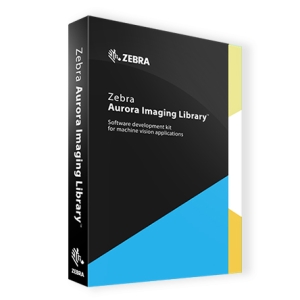
Matrox® Imaging Library (MIL) X1 is a comprehensive collection of software tools for developing machine vision, image analysis, and medical imaging applications. MIL X includes tools for every step in the process, from application feasibility to prototyping, through to development and ultimately deployment.
The software development kit (SDK) features interactive software and programming functions for image capture, processing, analysis, annotation, display, and archiving. These tools are designed to enhance productivity, thereby reducing the time and effort required to bring solutions to market.
Image capture, processing, and analysis operations have the accuracy and robustness needed to tackle the most demanding applications. These operations are also carefully optimized for speed to address the severe time constraints encountered in many applications.
 +65 6748 5517
 info@jm-vistec.com
 10 Kaki Bukit Ave 1, #07-06, Singapore 417942